
社区插件商店
字数
769 字
阅读时间
4 分钟
目标:浏览策展索引并安装第三方插件到
local/plugins/<id>/
完成之后:社区插件出现在插件目录,重启后生效
日常总装法见 安装插件 · 社区和本地插件。与 官方插件(pip)并存;同名时 local/plugins 优先。
开始前准备
- 可登录的网页控制台:进入 插件商店 → 社区插件。
- 可执行
git的运行环境:WebUI 安装社区插件时使用 Git。 extra_plugin_dirs(推荐):在pallas.toml的[bootstrap]写明["local/plugins"]。
WebUI 安装(推荐)
- 打开网页控制台 → 插件商店 → 社区插件
- 选条目 → 安装(或 安装并重启)
- 重启 Bot 后,在 插件目录 确认已加载
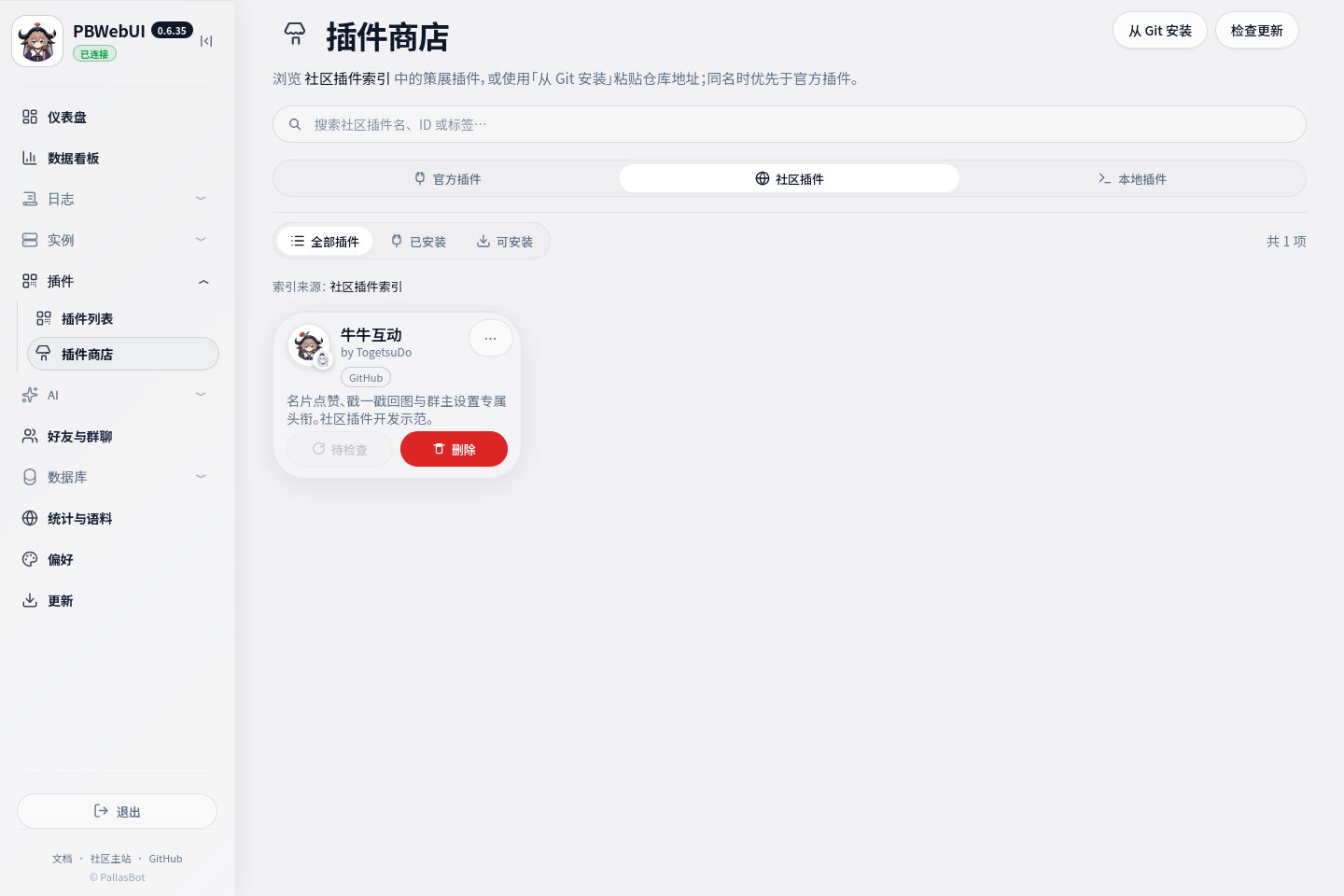
不走索引:点右上角 从 Git 安装,填插件 ID 与仓库地址即可。安装路径:local/plugins/<插件 ID>/。
建议在 pallas.toml 写明:
toml
[bootstrap]
extra_plugin_dirs = ["local/plugins"]卡片详情
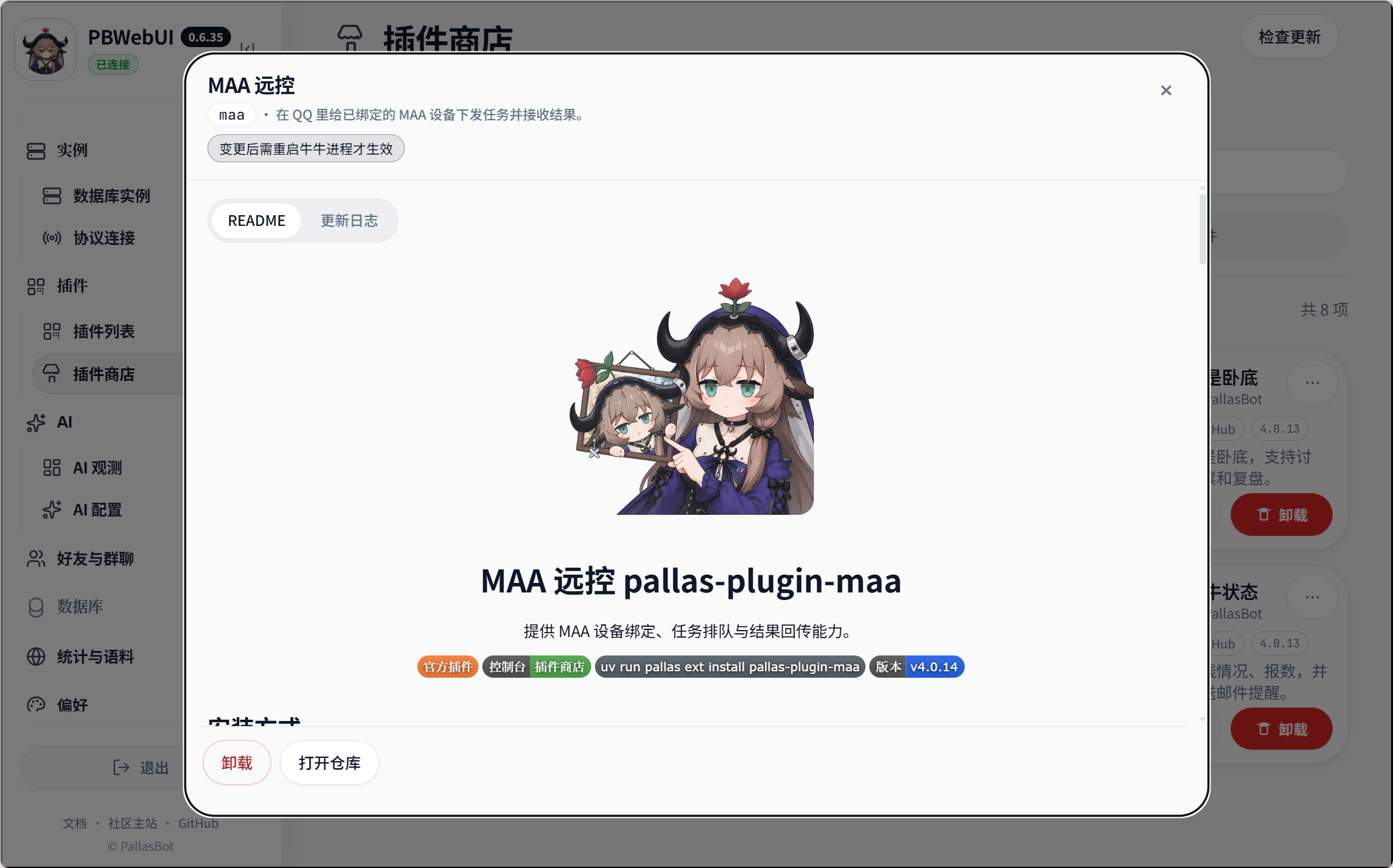
点商店卡片可看:
- README:仓库根目录
README.md - 更新日志:优先
CHANGELOG.md;没有则按 git 提交标题兜底
官方与社区卡片详情形态相同(示意:官方插件 MAA):
作者约定见 写社区插件并上架。
手动投放
把插件目录放到 local/plugins/<名>/,配好 extra_plugin_dirs(或靠自动检测),重启 Bot。
适合:不能访问 git,或不在公共索引里。
收录第三方插件
向 community-plugin-index 提 PR,在 index.json 追加条目。
索引只存元数据,不托管源码。未收录仍可用 从 Git 安装 或手工目录。
已收录插件发版后,改索引里同 id 条目的 version(不要重复追加),步骤见 写社区插件并上架 · 发版后同步索引。
成功信号
- 插件出现在
local/plugins/<id>/。 - 重启后 插件目录 显示已加载;群里 牛牛帮助 出现对应命令(若该插件提供命令)。
接下来做什么
说明:索引来源
| 优先级 | 来源 |
|---|---|
| 高 | 环境变量 COMMUNITY_PLUGIN_INDEX_URL |
默认远程:https://raw.githubusercontent.com/PallasBot/community-plugin-index/main/index.json | |
data/pallas_config/community_plugin_index.json | |
| 低 | config/community_plugin_index.json(主仓内置,通常为空) |
远程拉失败会回退本地文件。私有索引可在 [env] 设 COMMUNITY_PLUGIN_INDEX_URL。
说明:与官方插件的关系
| 类型 | 安装方式 | 优先级 |
|---|---|---|
| 社区 / 站点 | local/plugins/ | 最高 |
| 官方 pip | 商店 / pallas ext install | 中 |
| 仓库内副本 | 默认 auto:pip 未装时用副本 | 低 |
见 安装插件。
